Gaming Room Lighting: RGB vs Bias Lighting vs Task Lamps

A gaming setup can look impressive in photos and still be uncomfortable to use. Colour-changing LED strips illuminate the walls, the keyboard glows, and a row of light panels surrounds the monitor. Yet the desk remains difficult to see, or a bright reflection appears across the screen every time the room lights come on.
Good gaming room lighting solves practical problems before adding decorative effects. RGB lighting creates atmosphere, bias lighting softens the contrast around a screen, and task lamps illuminate everything you need to see outside the display. Choosing the right combination depends less on how many LEDs you own and more on how you use the space.
Start With the Way You Actually Use the Room
A gaming room doesn’t have to be a dedicated room. It might be a computer desk in a bedroom, a console connected to the family television, or a multipurpose space used for gaming, studying and working.
Each arrangement creates different lighting challenges.
Before buying anything, sit in your normal gaming position after dark. Check whether the screen feels excessively bright compared with its surroundings, whether you can see the desk comfortably and whether nearby lamps produce reflections.
Screen-First Gaming
For a setup built around a monitor or television, controlling reflections should be the first priority.
The Canadian Centre for Occupational Health and Safety (CCOHS) explains that monitors can reflect windows, overhead lights and other bright objects. These reflections may cause discomfort and encourage awkward viewing positions.
A useful starting arrangement places soft illumination behind or beside the screen, with bright bulbs kept outside the normal field of view.
You don’t necessarily need a dedicated lighting kit. A shaded lamp directed toward the wall may provide enough indirect light.
Gaming That Also Uses the Desk
A computer desk often supports activities beyond gaming. Someone might write notes during a strategy game, use a mechanical keyboard, work on a laptop or assemble tabletop accessories.
These activities need light on the work surface.
A monitor produces light toward the viewer, but it doesn’t necessarily illuminate the desk effectively. A separate task lamp lets you brighten physical objects without raising the room’s overall brightness.
The challenge is keeping that light off the monitor.
RGB, Bias Lighting or Task Lighting: What Solves What?
The three lighting types aren’t interchangeable. Each performs a different function, and a useful setup may combine two or three of them.
| Lighting type | Main purpose | Best for | Main limitation |
|---|---|---|---|
| RGB accent lighting | Decorative colour and atmosphere | Shelves, walls and gaming ambience | Doesn’t replace practical task lighting |
| Bias lighting | Soft illumination behind a display | Evening monitor or TV viewing | Doesn’t remove reflections on the screen |
| Task lighting | Illuminating the desk and nearby objects | Writing, reading and accessories | Can create glare if poorly directed |
| General ambient lighting | Making the surrounding room usable | Shared spaces and everyday activities | May be too bright for screen-focused use |
Bias Lighting for Screen Comfort
Bias lighting places a soft source of light behind a monitor or television, usually directed toward the wall.
Its purpose is to reduce the sharp visual difference between a bright display and a dark background. The screen remains the main visual focus, but it no longer appears surrounded by complete darkness.
RRC Polytech’s visual ergonomics guidance discusses background lighting as one way to improve the balance between a computer screen and its surroundings. It can be particularly helpful for evening viewing, although it won’t address every cause of visual discomfort.
For a straightforward setup, choose a dimmable white LED strip or compact lamp positioned behind the monitor. Aim for an even glow rather than visible LED dots or a concentrated bright patch.
The wall makes a difference. Pale, matte paint reflects light more readily than a dark surface, so adjust the output to suit the room.
Bias lighting should not shine directly onto the screen. If the monitor is close to a reflective wall or has an unusual mounting arrangement, experiment with the position before attaching anything permanently.
RGB Lighting for Atmosphere
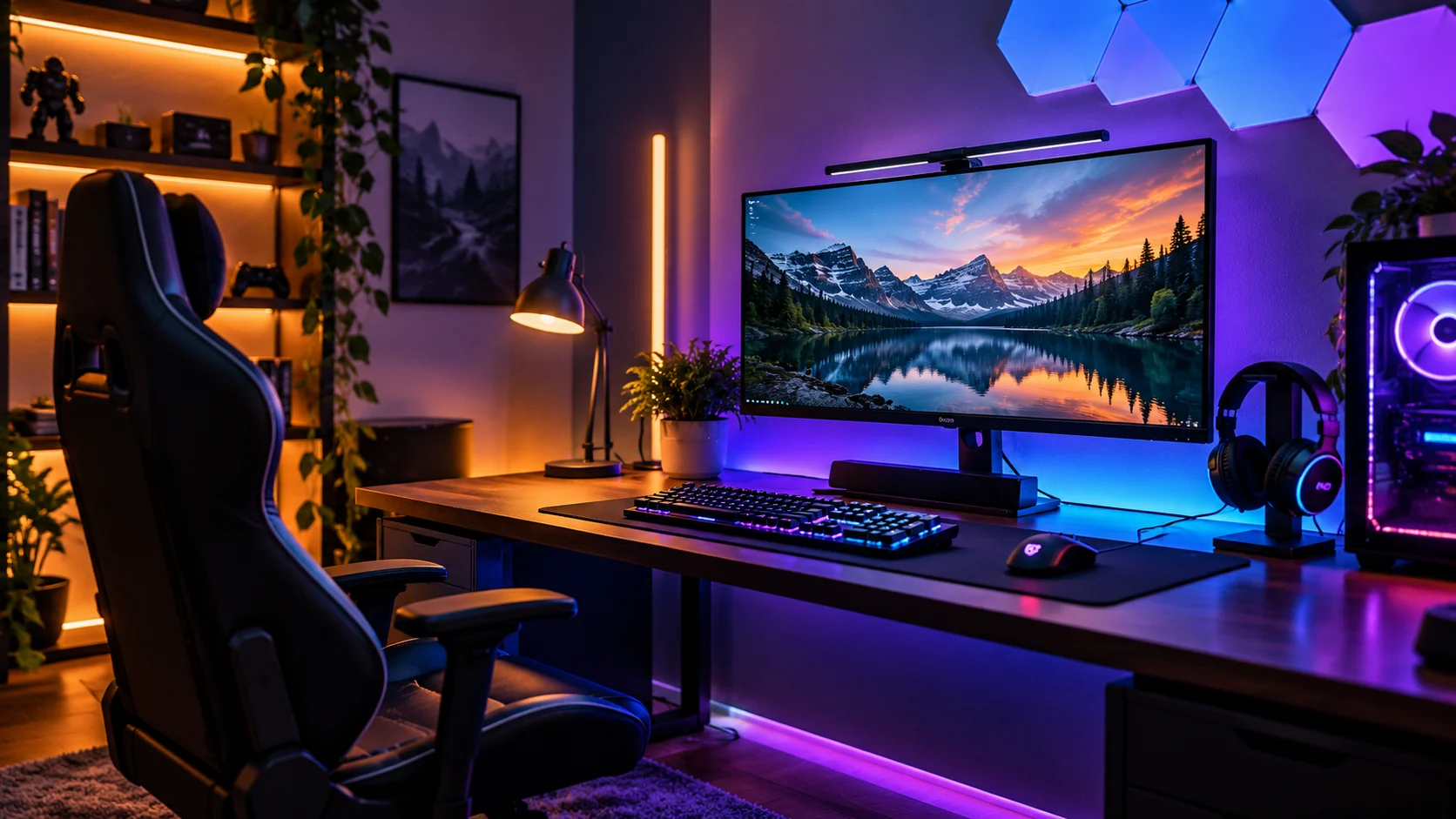
RGB lighting uses combinations of red, green and blue LEDs to create different colours. It can illuminate shelves, the underside of a desk, the rear of a monitor or decorative wall panels.
Its strength is flexibility. A restrained blue or purple accent can define a gaming corner, while a warm static setting may feel more appropriate when the computer is being used for everyday work.
Dynamic effects can also respond to music or on-screen activity, depending on the equipment.
But decorative colour is not the same as useful illumination.
A red LED strip behind a desk may look dramatic without providing enough light to find a dropped cable or read something on paper. Likewise, colourful panels around the monitor can compete visually with the game when set too bright.
Use RGB lighting as an optional layer, not the foundation of the room.
Task Lamps for Everything Outside the Screen
A task lamp directs light toward a particular activity: reading instructions, writing notes, organizing accessories or working beside the keyboard.
Adjustable desk lamps are useful because their position and beam direction can change.
Monitor light bars offer another possibility. These mount along the top edge of a display and, when properly designed and fitted, direct light toward the desktop rather than the screen.
They aren’t automatically suitable for every setup. Thick monitor housings, curved displays, webcams and unusual mounting positions may interfere with installation.
A conventional desk lamp remains a good choice when there’s enough room for it. Position the lamp to one side and aim it toward the work surface, checking for reflections from your normal seated position.
Fix Glare Before Adding More LEDs
Adding lighting won’t solve a reflection problem if the original source remains in the wrong place.
CCOHS recommends examining a screen from the user’s normal position and adjusting windows, fixtures and reflective surfaces before relying on additional equipment.
Check the Position of Windows and Lamps
Turn off the monitor and sit where you usually play. The dark screen makes reflections easier to identify.
Look for windows, ceiling fixtures, exposed bulbs and bright objects reflected on the display.
Then switch lights off individually. If a particular reflection disappears, you’ve identified its source.
A window directly opposite the monitor can cause difficulties during daytime gaming. Adjustable blinds or a slight change in screen position may work better than increasing display brightness.
At night, check table lamps and ceiling lights. Moving a lamp farther to the side, lowering its output or changing its direction can eliminate an annoying reflection.
Look at the Wall and Desk Surfaces
Glare doesn’t always originate from an obvious bulb.
A glossy white desk, glass picture frame or polished wall decoration can reflect light into your eyes or onto the monitor.
Matte finishes generally make reflections easier to manage.
Consider the contrast between the display and the wall behind it, too. A bright screen surrounded by a nearly black wall can look harsh in an otherwise unlit room. Soft background lighting may make that transition more comfortable.
Before installing RGB strips around the entire desk, try a single indirect light and evaluate the difference.
Three Setups for Different Gaming Spaces
The most practical arrangement depends on whether the screen occupies a dedicated desk, shares a family room or serves several kinds of entertainment.
A PC Gaming Desk in a Bedroom
Imagine a desk approximately 120–150 cm wide, holding one monitor, a keyboard and a computer.
Start with a soft white light behind the monitor, illuminating the wall without creating a visible hotspot.
Add an adjustable desk lamp if you regularly read, write or use accessories. Keep its beam off the display.
For general bedroom lighting, use an independently controlled ceiling fixture or shaded floor lamp. This allows the room to remain functional when the gaming setup is switched off.
If you want RGB accents, place them behind shelves or beneath the rear edge of the desk, where the LEDs are hidden from direct view.
Keep lighting cables separate from areas where a chair rolls or feet move beneath the desk.
A Console Setup in a Shared Living Room
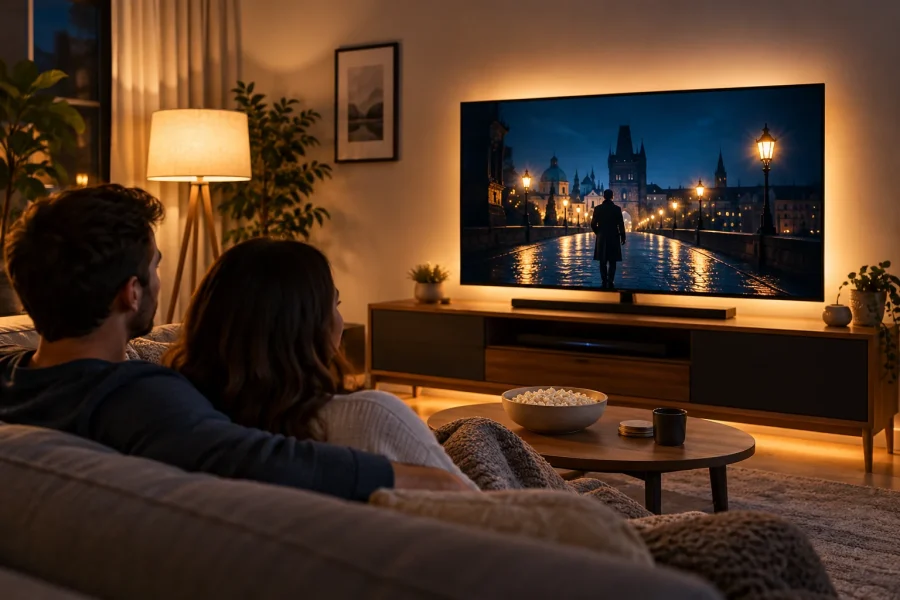
Console gaming usually involves a television viewed from a sofa rather than a nearby desktop monitor.
Here, the main challenges are screen reflections and balancing lighting for several people using the room.
A small indirect light behind the television can provide gentle background illumination. A shaded floor lamp near the seating area gives the room enough light for conversation or other activities.
Avoid positioning bright fixtures where they reflect in the television.
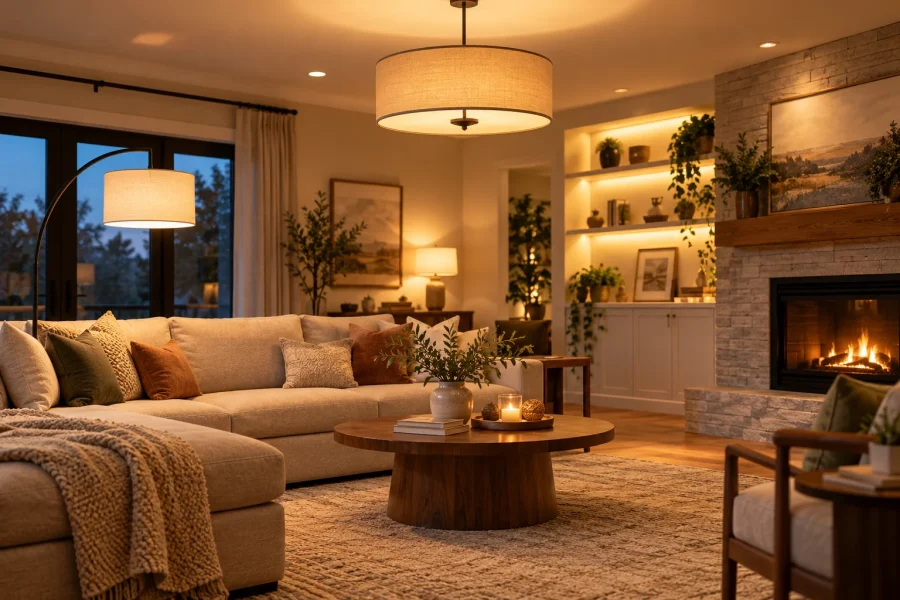
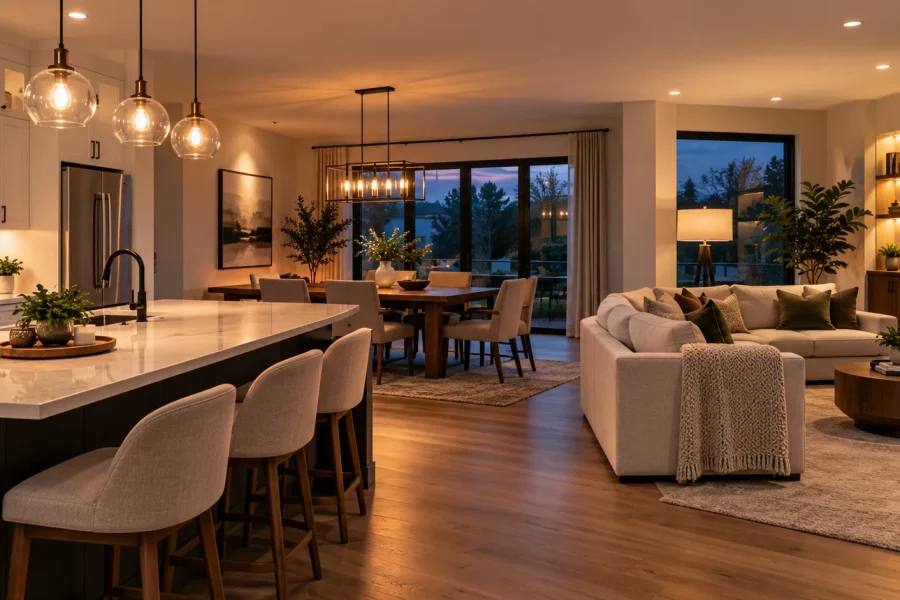
If your console shares space with the family television and main seating area, make the gaming setup part of the wider living room lighting plan rather than treating it as a separate room.
Separate controls make the arrangement more useful. You can lower the general lighting during gameplay without leaving the room completely dark.
When One Desk Serves Several Kinds of Play
A multifunctional gaming desk rarely stays dedicated to one activity. Someone might move between a strategy game, a livestream and interactive browser-based entertainment without changing their monitor or seating position.
The lighting requirements remain surprisingly consistent across these activities. The screen should be visible without distracting reflections, and the surrounding space should provide enough illumination for whatever happens beyond the display.
That last category can include a browser-based trx casino, but the lighting question remains the same: can the screen be viewed comfortably without a lamp reflecting off its surface?
For a shared setup, soft indirect light behind or beside the monitor is usually more practical than a constantly changing colour effect. A separately controlled desk lamp can then illuminate paperwork, accessories or other nearby activities without shining onto the display.
If the desk is also used for schoolwork or working from home, prioritize functional lighting over decorative effects. A lamp with adjustable brightness and direction will generally be more versatile than another RGB panel.
Choose Brightness, Colour and Controls
A gaming space needs adjustable brightness more than any particular decorative colour.
For ordinary room lighting, warm white in the 2700–3000K range creates a relaxed appearance. A more neutral white may be preferable for detailed desk tasks.
For colour-critical screen viewing, calibrated bias-lighting systems often use D65 white, approximately 6500K. That doesn’t mean every gaming room needs cool-white lighting. It’s a specialised reference intended to maintain consistent colour perception around a display.
Avoid setting surrounding lights so brightly that they overpower the picture. At the same time, a very bright monitor in a completely dark room may feel uncomfortable.
Adjust the display’s brightness for the room rather than compensating with additional lamps alone.
Why Constantly Changing RGB Effects Are Not Always Useful
Fast colour transitions and flashing effects may be entertaining during certain games, but they can become distracting during reading, strategy games or detailed visual tasks.
Some people are particularly sensitive to flashing light, making static effects a more suitable choice.
A restrained setup often works better: one or two accent colours, moderate brightness and the ability to turn decorative effects off independently.
Screen-synchronised lighting can be enjoyable when immersion is the goal. It offers little practical benefit when you simply need to see the keyboard.
Make Functional Light Independent From Decorative Light
The easiest way to make gaming room lighting flexible is to separate its controls.
Use one control for general room lighting, another for task lighting and a third for decorative LEDs.
That allows three useful arrangements:
- Gaming: Soft indirect light behind the screen, minimal task lighting and optional RGB accents.
- Desk work: Brighter task lighting, moderate general illumination and decorative effects reduced or switched off.
- Everyday room use: Comfortable ambient lighting with the gaming-specific lights switched off.
Compatible smart bulbs and smart plugs can simplify switching. But a basic lamp with its own switch may be perfectly adequate.
What to Buy First — and What Can Wait
The right purchasing order depends on the problem you’re trying to solve.
If reflections are interfering with gameplay, fix the lighting position before buying new LED strips.
If the room becomes uncomfortably dark around the monitor, consider a dimmable indirect light behind the display.
If you struggle to see the desk, prioritize a properly positioned task lamp.
Decorative RGB lighting should generally come after those practical needs have been addressed.
Start With What Fixes the Main Problem
A simple decision framework helps avoid unnecessary purchases:
- Screen glare: Adjust windows, lamp placement and monitor orientation first.
- Harsh contrast around the display: Try dimmable bias lighting or another soft indirect source.
- Dark keyboard or work surface: Add a task lamp or compatible monitor light bar.
- Insufficient general room lighting: Use an ambient lamp that spreads light beyond the desk.
- Plain-looking setup: Add restrained RGB accents once the functional lighting works.
A room may need only two lighting layers rather than four. More fixtures don’t automatically create a better result.
Check Compatibility and Electrical Safety
Gaming lighting often combines USB-powered accessories, LED strips, external power supplies and smart controls.
Before buying, verify the required input voltage, current, connectors and power supply capacity. USB-powered doesn’t automatically mean that every USB port or charger is suitable.
For products that plug into a Canadian electrical outlet, Health Canada recommends checking for recognized certification marks such as CSA, cUL or cETL. The mark should appear on the product itself, not merely in promotional photographs.
Follow the manufacturer’s mounting and ventilation instructions. Don’t overload power adapters, conceal unsuitable power supplies behind insulating materials or run cables where they can be crushed by furniture.
For renters, portable fixtures and properly installed plug-in lighting are often the simplest options. Permanent electrical changes should follow applicable provincial or territorial requirements.
A Practical Gaming Room Lighting Checklist
Before purchasing another lighting accessory, evaluate the setup during the time of day you normally use it.
- Can you view the monitor without bright reflections?
- Is the wall behind the screen softly illuminated rather than completely dark?
- Can you see the keyboard, desk and nearby objects when necessary?
- Are exposed bulbs and LED dots outside your direct field of vision?
- Can functional lighting operate without decorative RGB effects?
- Do the lighting colours suit both gaming and ordinary room use?
- Are power supplies compatible, appropriately certified and safely positioned?
- Can you move around the room comfortably when the gaming lights are dimmed?
Test one change at a time. Move an existing lamp before buying another fixture, try a static white background before installing colourful light panels, and evaluate the room while seated rather than judging it from the doorway.
The most effective gaming room lighting isn’t necessarily the most colourful. It’s lighting that stays out of the way when you’re concentrating, provides useful illumination when you need it and lets decorative effects remain a choice rather than a permanent feature of the room.